
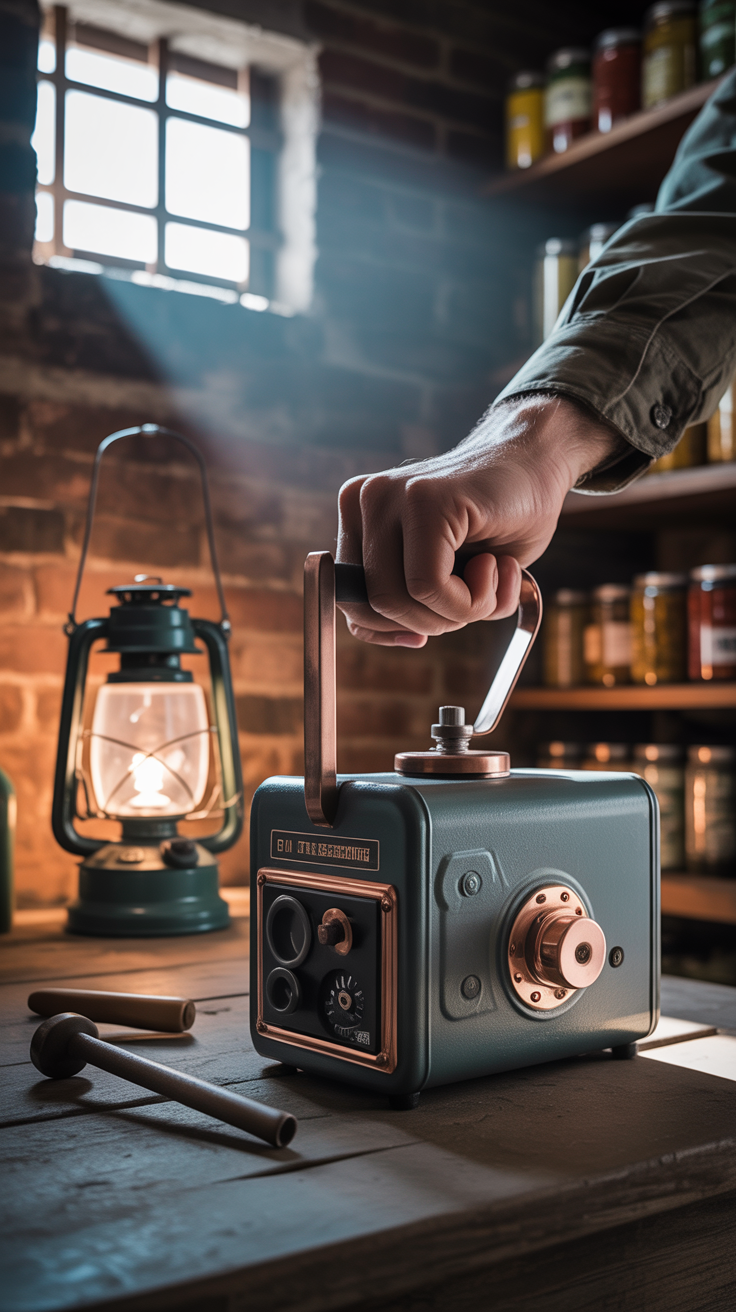
How to Use a Hand Crank Generator When the Grid Goes Down
When the power grid fails—whether from storms, cyber events, rolling blackouts, or infrastructure overload—electricity becomes a scarce resource. Learning how to use a hand crank generator when the grid goes down is one of the most practical skills you can build because it turns your time and effort into power for the tools that matter most: light, communication, and small medical devices.
Hand crank generators aren’t magic and they aren’t meant to run your whole home. What they can do is help you bridge the gap when batteries run out, solar is limited, or fuel is scarce. If you set them up correctly, match them to the right devices, and follow a simple charging routine, you can keep phones alive, run radios, power headlamps, and maintain a basic communications plan.
As emergency preparedness instructor and author Creek Stewart notes, “In a blackout, your best power source is the one you can use immediately—without fuel, noise, or a supply chain.” A hand crank generator fits that reality: it’s quiet, simple, and renewable as long as you can turn the handle.
Understanding what a hand crank generator can realistically power
Before you start cranking, set realistic expectations. A hand crank generator converts mechanical energy into electrical energy—usually in small amounts. That’s enough for low-watt devices, but it’s not ideal for heating appliances, cooking, pumps, refrigerators, or high-draw tools.
Typical uses during a blackout
A hand crank generator is most useful for:
- Charging a phone in short bursts (topping off to keep texts/calls available)
- Keeping a two-way radio or weather radio alive
- Powering small LED lights (directly if supported, or by charging a battery)
- Charging AA/AAA batteries (if your system supports it)
- Supporting small USB medical devices (only if they can accept USB charging and you’ve confirmed compatibility)
What not to plan on using
Avoid relying on a hand crank generator for:
- Space heaters, electric blankets, kettles
- Power tools, microwaves, hot plates
- Refrigerators or freezers
- Most CPAP machines (unless you’ve built a dedicated battery/inverter plan)
Many people burn themselves out by trying to treat a hand crank generator like a gas generator. The smarter approach is to use it as a battery maintenance tool: keep essential electronics from dying while you conserve every watt.
The “energy math” that keeps you from wasting effort
Even without exact specs, the concept is simple:
- Your body can produce limited power over time.
- The generator and charging circuitry waste some energy as heat.
- Your device may also waste energy while charging.
That means your best results come from charging a battery pack first, then using that pack to charge your devices efficiently—rather than cranking directly into a phone while it’s running apps, searching for signal, and heating up.
Choosing the right devices to pair with a hand crank generator
What you connect to your hand crank generator matters as much as how hard you crank. In a grid-down event, small efficiency gains translate into major real-world outcomes: fewer minutes cranking, less fatigue, and more reliable communications.
Prioritize “low-drain, high-value” devices
Build your power plan around devices that deliver the most capability per watt:
- Headlamp + spare batteries (hands-free light beats candles)
- AM/FM/NOAA radio (situational awareness reduces risk)
- Smartphone in airplane mode (offline maps, notes, photos, emergency calls)
- Small power bank (becomes your buffer and distribution hub)
Keep a written list of your essentials and their charging method (USB, USB-C, micro-USB, AA/AAA, etc.). Label cables. In the dark, “I think this cable fits” becomes a time sink.
Use a battery buffer for better results
Many professionals rely on a “buffer-first” approach: charge a power bank with the crank generator, then charge the phone from the power bank. Why:
- The power bank accepts inconsistent input better
- It prevents your phone from disconnecting due to voltage dips
- It lets you charge devices in controlled windows
Manage your phone like it’s your lifeline (because it is)
If you’re using a phone during a blackout:
- Turn on Airplane Mode when you don’t need signal
- Reduce brightness, disable background refresh
- Download offline maps and key documents ahead of time
- Prefer texting over voice calls when networks are congested
Struggling to build a deeper “grid-down communications + operational plan,” not just a charger plan? Problem-solution bridge: you can keep a phone powered, but still be unprepared for decision-making, security, and day-to-day survival logistics. Guides like URBAN Survival Code are often used as structured checklists and planning systems for urban and suburban scenarios where the grid is unstable and supplies get constrained.
Setting up your hand crank generator for safe, efficient charging
A hand crank generator is simple, but your setup determines whether it’s reliable or frustrating. Before the outage, practice for 15 minutes. During the outage, small mistakes snowball.
Establish a dedicated “power station” area
Pick a stable surface indoors:
- A table or countertop near where you’ll be working
- Keep it away from open flames (candles, propane lanterns)
- Store all cables, adapters, and batteries together in a small pouch or bin
If the generator slips while cranking, output can fluctuate and connections can loosen. Stability reduces device disconnects.
Check output and ports before you rely on it
Most hand crank generators provide one or more of the following:
- USB output (for phones/power banks)
- A built-in flashlight or radio
- 12V DC output (less common)
- Battery charging bay (AA/AAA on some models)
If yours has multiple outputs, don’t assume they can run simultaneously. Some designs split limited power across ports, slowing everything.
Follow a simple charging sequence
To maximize success:
- Connect the buffer (power bank) first
- Start cranking at a steady pace for 2–5 minutes
- Confirm the power bank is actually charging (indicator light)
- Continue in intervals (more on this below)
- Use the power bank to charge your phone/radio later
If you must charge a phone directly, put it in airplane mode and don’t use it while charging. Active screen time can consume more than the crank provides, making it feel like “it isn’t working.”
Protect your devices from moisture and dirt
During disasters, humidity and debris are common. Keep electronics in:
- A zip bag or dry pouch
- A clean cloth wrap
- A hard case if you have one
Dirty ports and wet cables cause intermittent charging and corrosion—both are avoidable.
💡 Recommended Solution: New Survival Offer: Dark Reset
Best for: Building a practical “lights-out” routine beyond just electricity
Why it works:
- Helps structure what to do in the first hours/days when the grid drops
- Encourages planning for communications, water, and daily operations
- Complements a hand-crank plan by covering the bigger picture
(Use it as a planning resource; don’t treat it as a substitute for hands-on practice.)
Cranking technique that reduces fatigue and increases output
Most people fail with hand crank generators for one reason: they go too hard, too fast, and burn out. The reality is that consistent output beats short bursts of maximum effort—especially if you’re managing a household.
Use steady cadence, not sprinting
Aim for a smooth, repeatable pace you can maintain:
- Keep your wrist neutral and use your forearm/shoulder
- Sit down if possible to stabilize your core
- If the unit has a folding handle, ensure it’s fully locked to prevent wobble
Your goal is minutes of consistent charge, not seconds of heroic effort.
Rotate operators and treat it like a duty
In a family or group, assign “power duties”:
- 10 minutes per person, then rotate
- Keep a small log: time cranked, what was charged, indicator status
This prevents the most motivated person from exhausting themselves early—when you might need them later for water hauling, first aid, or security.
Interval strategy that works in the real world
A practical routine:
- Crank 5–10 minutes
- Rest 5 minutes
- Repeat for 30–60 minutes total, depending on need
This keeps output steadier and prevents overheating in cheap cables or connectors. It also lets you check whether the device is accepting charge.
Prioritize communications windows
If cell towers are unstable, choose set times to power and check devices:
- Morning and evening “comms checks”
- Keep the phone off (or in airplane mode) the rest of the time
- If you have radios, synchronize check-ins
This approach reduces unnecessary cranking and preserves energy.
Know when to stop
Cranking is physical work. If you’re sweating heavily, dizzy, or cramping, stop. Dehydration and fatigue can cause more emergencies than the blackout itself.
That’s also why energy plans should include multiple power sources when possible. While a hand crank generator is excellent as a “human-powered failsafe,” alternative off-grid systems can reduce physical strain. Comparison/alternative: while hand-crank units are portable and renewable, an off-grid power approach can be more scalable for longer events. If you’re exploring broader options, Ultimate OFF-GRID Generator is often positioned as a complementary direction for people who want more than manual power and are looking at longer-duration outages.
Charging priorities during a grid-down event
The biggest mistake in a blackout is charging the wrong thing first. Your priorities should follow a simple hierarchy: safety → information → communication → comfort.
Priority 1: Light and immediate safety
First-night injuries happen in the dark. Prioritize:
- Headlamp or flashlight batteries
- A small area light (LED lantern if you have one)
- Charging a phone enough to use it as a backup light (not ideal, but useful)
Candles can work, but they introduce fire risk and carbon monoxide exposure concerns if used improperly around other fuels.
Priority 2: Information and alerts
A radio is low-power and high-impact:
- Weather updates
- Emergency instructions
- Evacuation orders
- Local stability indicators
If your hand crank generator includes a radio, keep it functional—even if you can only listen in short windows.
Priority 3: Communication
In most disruptions, your phone is still valuable even without data:
- SMS can go through when voice fails
- Photos document damage for insurance
- Offline notes store plans, contacts, and medical info
Charge to a usable level (not necessarily 100%). Often, a phone at 40–60% plus strict power management is enough.
Priority 4: Essential health support
If you have any USB-chargeable medical devices, test your system in advance. If you rely on any device that requires AC power, you need a dedicated battery/inverter plan—not a last-minute hand-crank plan.
Expert quote format:
“As many emergency medicine educators emphasize, *preparedness is about reducing avoidable risk, not improvising under pressure.*” If you want a structured way to think through medical readiness when services are delayed, resources like Home Doctor are often used to build a home-first-aid mindset and decision framework for common injuries and illness during outages.
Integrating your hand crank generator into a complete outage plan
A hand crank generator is a tool—not a plan. The people who do best in extended outages build supporting systems: water, food, security, sanitation, and a repeatable daily rhythm.
Water: the “power problem” you can’t ignore
In many grid-down situations, municipal water pressure can drop, boil notices happen, and filtration becomes critical. If you’re cranking for power but don’t have water handled, you’re solving the wrong problem.
💡 Recommended Solution: Water Freedom System
Best for: People who want a clearer plan for securing drinking water when normal supply is unreliable
Why it works:
- Encourages thinking in terms of storage + purification + daily use
- Supports redundancy so you’re not relying on one tool
- Helps connect water planning to broader preparedness routines
Comparison/alternative: if you’re evaluating different preparedness resources around water resilience, New Water Offer: SmartWaterBox is another option people look at when building out contingency planning for household water needs.
Food: favor shelf-stable and “no-electric” preparation
When refrigeration is gone:
- Eat perishable foods first
- Switch to shelf-stable basics next
- Consider no-cook or low-fuel cooking plans
A hand crank generator won’t cook for you; it can, however, keep your phone/radio alive while you manage food safely.
Many preparedness-minded households keep reference lists of edible pantry staples, long-lasting foods, and ways to use them. Resources like The Lost SuperFoods are often used as idea banks for expanding shelf-stable options and planning food variety during extended disruptions.
Build a simple daily cadence
A stable routine reduces anxiety and prevents wasted energy:
- Morning: water check, quick radio update, short charging session
- Midday: tasks (sanitation, food prep, repairs), minimal electronics
- Evening: communications window, second short charging session, light discipline
Your hand crank becomes part of that rhythm rather than an emergency scramble.
Security and information discipline
In grid-down environments, confusion spreads. Keep:
- A paper contact list
- A written plan for family check-ins
- A clear decision rule for when to stay vs. go
Problem-solution bridge: if you’re worried about broader instability and want a more comprehensive strategy mindset (not just gear), BlackOps Elite Strategies is sometimes used as a conceptual resource for thinking through resilience, awareness, and decision-making under stress.
Common mistakes and troubleshooting when a hand crank generator “isn’t working”
When people say their hand crank generator fails, it’s often one of a handful of preventable issues. Troubleshoot systematically.
The device isn’t actually charging
Possible causes:
- Cable is damaged or low quality
- Connector is loose or dirty
- Device rejects low/unstable input
- Power bank needs a minimum input to start charging
Fixes:
- Try a different cable
- Charge a power bank first, then charge the phone
- Reduce phone power draw (airplane mode, screen off)
- Check for charging indicator lights
Output cuts in and out while cranking
Likely causes:
- Inconsistent cranking speed
- Loose USB port or cable
- Generator handle wobble causing internal interruption
Fixes:
- Stabilize the unit on a table
- Crank at a steady pace
- Avoid bending the cable at the connector
You’re exhausted and getting very little benefit
This is usually a planning issue, not a hardware issue:
- You’re trying to charge too many devices
- You’re aiming for 100% charges
- You’re not using low-power modes
- You’re not leveraging a buffer battery
Fixes:
- Charge to “functional minimum” (often 40–60%)
- Create timed check-ins and keep devices off in between
- Rotate cranking duties
Your bigger system is missing redundancy
A hand crank generator is excellent as a last line of power, but long blackouts demand layered options. Consider: solar, stored power banks, deep-cycle batteries, and low-power DC lighting.
Expert quote format:
“As off-grid educators often remind students, ‘Stored energy beats generated energy during the first 72 hours.’” If you’re interested in broader energy resilience concepts for longer events, Energy Revolution System is a resource some people use to think through energy independence and backup approaches beyond human-powered charging.
Tools and resources that complement a hand crank generator
A hand crank generator performs best when it’s part of a simple, efficient kit. You do not need dozens of gadgets; you need reliable basics that reduce wasted energy and increase safety.
Core supporting items to keep together
- 1–2 durable charging cables (correct type for your phone)
- A small power bank (buffer battery)
- Headlamp with spare batteries
- Compact AM/FM/NOAA radio
- Paper list of essential steps and priorities (laminated if possible)
Resource list for building a more complete preparedness plan
Use these as planning aids alongside hands-on practice:
💡 Recommended Solution: URBAN Survival Code
Best for: Urban/suburban grid-down planning and checklists
Why it works:- Helps organize priorities when infrastructure fails
- Supports decision-making under local constraints
- Encourages practical routines (comms, supplies, contingency steps)
💡 Recommended Solution: Water Freedom System
Best for: Water resilience planning when utilities are unreliable
Why it works:- Promotes redundancy (storage + purification thinking)
- Helps estimate daily needs and failure points
- Complements power planning with the #1 survival priority
💡 Recommended Solution: The Self-Sufficient Backyard
Best for: Long-term resilience and reducing dependence on daily deliveries
Why it works:- Encourages food-growing and practical self-reliance skills
- Supports household resilience beyond short outages
- Helps shift from “emergency mode” to sustainable preparedness
This balanced approach keeps the hand crank generator in its proper role: a dependable, human-powered charging option—supported by better water, food, and planning foundations.
Conclusion
Knowing how to use a hand crank generator when the grid goes down is about more than turning a handle. It’s about pairing the generator with the right devices, stabilizing your setup, cranking efficiently to avoid fatigue, and charging in a prioritized way that supports safety and communication.
Treat your hand crank generator as a “power insurance policy” for the moments when stored batteries, fuel, and sunlight aren’t available. Practice before you need it, build a simple power routine, and integrate it into a broader plan that covers water, food, medical readiness, and information. In a real outage, that combination—skill plus system—beats any single piece of gear.
FAQ
How to use a hand crank generator when the grid goes down without damaging a phone
Charge a power bank first, then charge your phone from the power bank. Put the phone in airplane mode and keep the screen off while charging. This reduces voltage fluctuations and prevents the phone from drawing power faster than the crank can supply.
How long do you need to crank to get useful power
It depends on your generator and what you’re charging, but a practical goal is to crank in 5–10 minute intervals and build a small reserve in a power bank. Focus on “functional minimum charge” (enough for calls/texts), not a full battery.
Should you crank-charge a phone directly or use a power bank
Using a power bank as a buffer is usually more reliable. Phones can interrupt charging if the input is inconsistent, while power banks tend to accept variable input better and then deliver stable output to the phone.
What devices are best to power with a hand crank generator
Best devices are low-watt, high-value items: headlamps, small radios, and phones (especially for texting and emergency communication). It’s also useful for topping up AA/AAA rechargeable batteries if your setup supports it.
Why is my hand crank generator not charging anything
Common causes include a bad cable, a loose port, inconsistent cranking speed, or a device that requires a minimum input to start charging. Try a different cable, stabilize the unit, crank steadily, and charge a power bank first to confirm output.
RANK MATH SEO BLOCK
SEO Title (≤60 chars): Hand Crank Generator Guide for Grid-Down Power
Meta Description (≤160 chars): Learn how to use a hand crank generator when the grid goes down, including setup, charging priorities, and efficient cranking tips for blackouts.
URL Slug: use-hand-crank-generator-grid-goes-down
Focus Keyword: How to Use a Hand Crank Generator When the Grid Goes Down
Suggested Schema Type: HowTo / FAQ